
Last checked 14 Sep 2026 · Steam Early Access. Guides may change after patches.
WARDOGS Crashing or Won’t Launch on Steam — Elytra Anti-Cheat Fixes (EA)
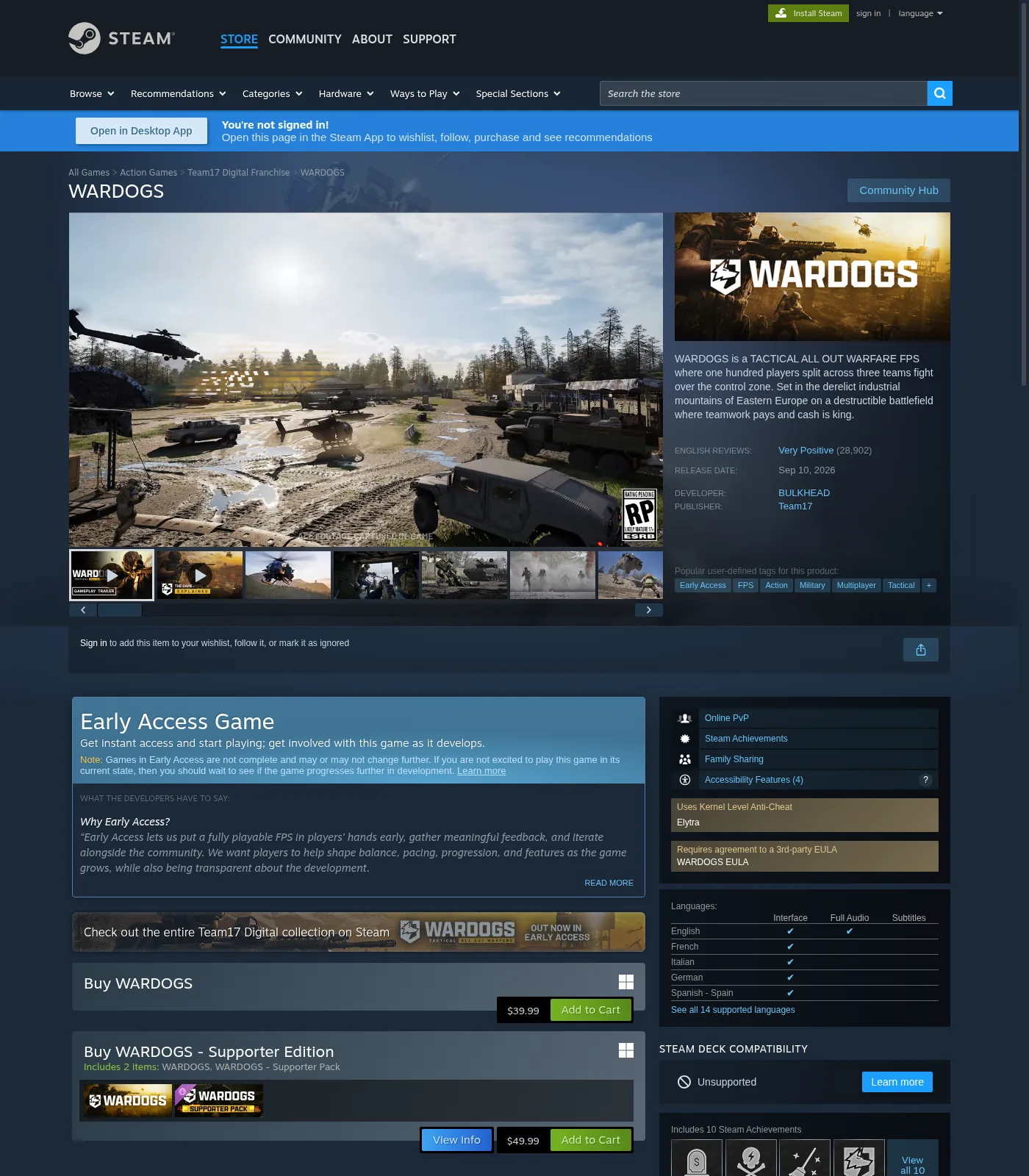
TL;DR: As of 2026-09-13, the Steam store feature tag reads Uses Kernel Level Anti-Cheat Elytra. Build crash triage around Elytra, not legacy “EAC fix” posts. Separate never starts / before menu / black screen / mid-match from auth/queue codes like public lead 1147405308 (spillover → Servers). Community WD-LO14 / WD-L014 reports block past the launcher — repair paths below are community-cited and stay for exact UI. JOIN TIMEDOUT → 1628505091. Settings after you can launch → Best Settings. Code index → Error Codes Hub.
Last checked 2026-09-13 (Early Access).
Anti-cheat reality check (store vs disk)
| Source | Says (dated) | Use here |
|---|---|---|
| Steam store feature tags (WebFetch 2026-09-13) | Uses Kernel Level Anti-Cheat Elytra | Treat Elytra as current store fact |
| Older guides / closed-test posts | Easy Anti-Cheat (EAC) wording | Outdated for store tag — do not recommend EAC repair as current default |
| Install folder / setup EXE names | public lead — ccstartup + AxeeTech + LagoFast agree: Elytra folder + Elytra.exe / Elytra-Setup.exe (confirm on your disk) |
Identify before repair clicks |
| Log file (community) | public lead — AxeeTech / XboxPlay: %LOCALAPPDATA%\Wardogs\ElytraLauncher.log |
Read before blaming “internet” |
| In-client repair UI labels | Exact button strings → still need your screenshot; community cites Repair | Quote only what you see |
Identify Elytra on disk
| Check | Look for | Your result |
|---|---|---|
| Store tags today | Elytra kernel AC | Confirmed on editorial pass 2026-09-13 |
| Game install folder | …\WARDOGS\Elytra\ |
public lead — ccstartup/AxeeTech/LagoFast (confirm folder name on disk) |
| Helper EXE | Elytra.exe and/or Elytra-Setup.exe |
public lead — same sources (confirm EXE names) |
| Crash / log string | Product name in fault text / ElytraLauncher.log | public lead — AxeeTech log path |
| Repair / install helper | Repair option in helper UI | public lead — community Repair; do not paste old EAC folder-delete steps |
STOP: Do not publish “delete EasyAntiCheat folder” as the WARDOGS EA fix path while the store tags Elytra.
Symptom matrix (where does it fail?)
| Symptom | Bucket | First section | Spillover? |
|---|---|---|---|
| Steam shows Running → stops; no window | Launch failure | Fix ladder + Elytra identify | — |
| Exit / crash before main menu | Pre-menu crash | Fix ladder | — |
| Black screen / long stall / shader-like message | Black-screen path | Black screen section; then Settings | — |
| Crash mid-match / restart mid-round | Mid-match stability | Ladder + overlay/GPU; check Servers if everyone drops | Maybe |
| Exact exception / access violation text | Error-specific | Access-violation section | — |
| WD-LO14 / WD-L014 / Unable to launch | Launcher / AC init class (community) | WD-LO14 section | Maybe auth |
| Auth / queue / Access Denied without crash dump | Service / auth | Leave this page | Servers |
1147405308 (public: Failed to authenticate / queue) |
Auth spillover | Triage below | Servers |
1628505091 JOIN TIMEDOUT |
Join timeout | Not a local crash | 1628505091 |
Error 1147405308 — auth spillover, not a GPU guide
Public third-party framing (Bisect, Sep 10 2026) maps 1147405308 to Failed to Authenticate With Online Services. Launch-day writeups treated it as often service-wide. That is a service-path lead, not proof of a bad GPU driver.
| Field | Status |
|---|---|
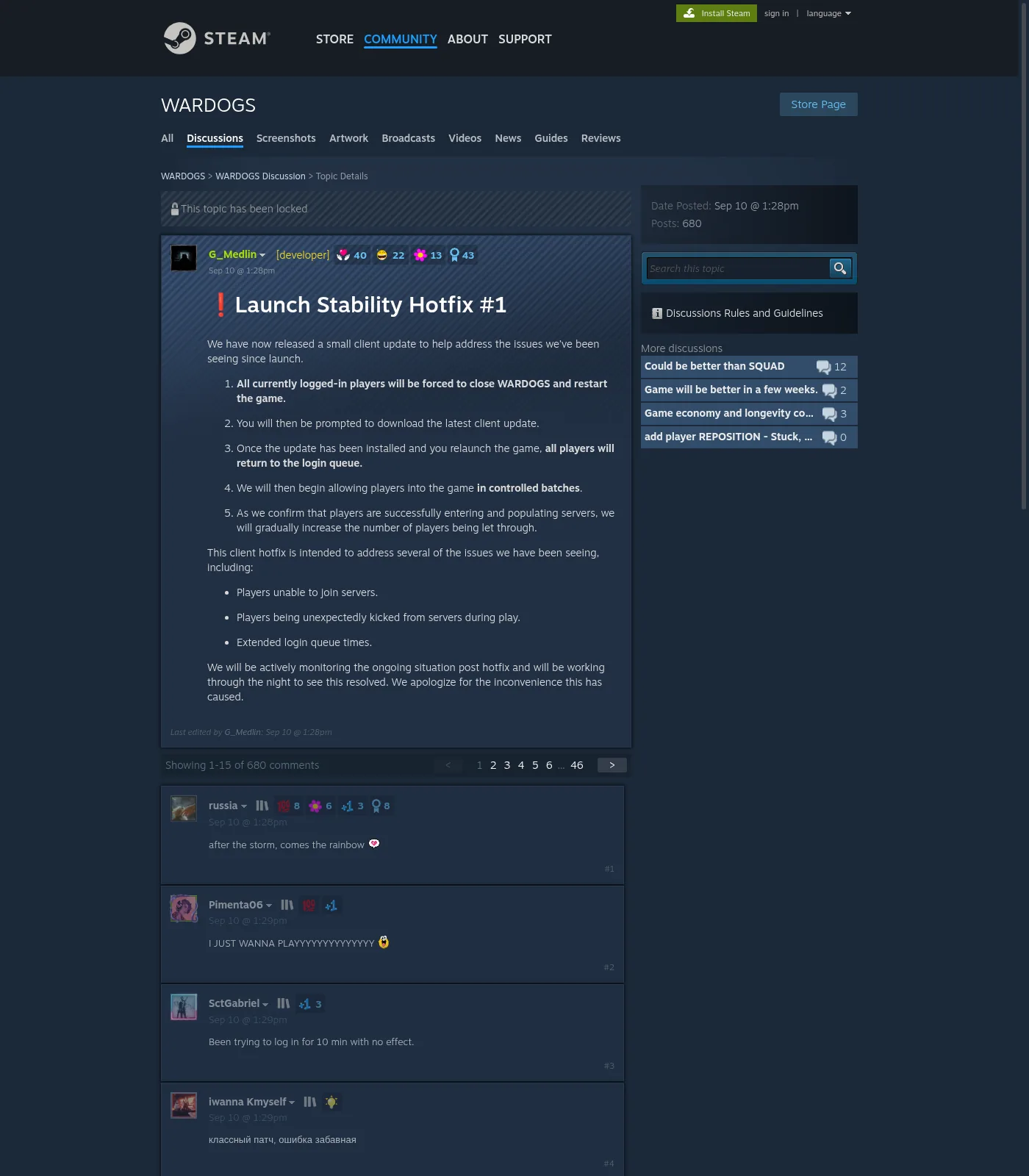
| Exact EA dialog text | public lead — Bisect + Steam Hotfix #1 replies: “Failed to Authenticate With Online Services” / “failed to authenticate online services” (confirm your screenshot) |
| Default triage | Status healthy? → Servers hub. Only then local ladder |
| Verified local “fix” list | None published as confirmed here — do not copy booster VPNs |
Rule: If many players show the same auth code right now, do not start overlay/GPU surgery. Open the Servers hub first.
WD-LO14 / WD-L014 — Unable to launch (community)
| Item | Public evidence | Status |
|---|---|---|
| Steam Hotfix #1 reply | Unable to launch WARDOGS / Error code: WD-LO14-c70b81e405df |
Community string — not an official enum |
| Third-party spelling | WD-L014 (hyphen variants) | Same cluster until proven otherwise |
| Symptom (ccstartup, Sep 11) | Blocks getting past the launcher | Community |
WD-LO14 steps (community)
| # | Community step | Why listed | Rollback |
|---|---|---|---|
| 1 | Full close Steam + WARDOGS; confirm no leftover processes | Stale helper / service | — |
| 2 | Steam → Properties → Installed Files → Verify integrity of game files | Incomplete Hotfix / mismatch | — |
| 3 | Browse local files → open Elytra folder → run Elytra.exe → Repair (ccstartup; AxeeTech/LagoFast concur on Repair) |
Rebuild AC components | public lead — confirm labels on your helper UI |
| 4 | Alternate helper: Elytra-Setup.exe Repair (AxeeTech / LagoFast community) |
Same goal | Prefer Repair before deleting AC files |
| 5 | Uninstall leftover WARDOGS Playtest if still in library; verify EA install again | Stale playtest collision (community) | Skip if you never installed Playtest |
| 6 | Full Windows restart | Author anecdote: restart alone cleared WD-L014 | Not a magic forever fix |
| 7 | If still failing: capture ElytraLauncher.log + screenshot → Discord/support | Evidence > reinstall loops | Ticket queues can be long (community claim) |
Not required on this page: permanently disabling Windows security features. Community posts sometimes mention Memory Integrity toggles — if you experiment, re-enable afterward and treat as unverified. Never present that as a Bulkhead mandate.
EXCEPTION_ACCESS_VIOLATION and similar
Closed-test community writeups (Aug 2026) document launch crashes with:
Unhandled Exception: EXCEPTION_ACCESS_VIOLATION
involving modules such as user32, ntdll, win32u, and WardogsClient_Win64_Shipping — game never reaches main menu. Those guides often still say “Easy Anti-Cheat”; for EA store tag, swap AC repair to Elytra identify/repair instead.
We omit a fake exception-string catalog. Quote the exact line from your crash dialog — never invent a .dll name. Closed-test writeups mention EXCEPTION_ACCESS_VIOLATION involving user32 / ntdll / win32u / WardogsClient_Win64_Shipping; those guides often still say Easy Anti-Cheat. For the 2026-09-13 store tag, use Elytra identify / repair instead.
Community tip: include the LoginId from the crash report and screenshot the full dialog before you start repair clicks.
Verified path: run the safe ladder top→bottom; apply Elytra repair only after identification. Overlay conflicts are the highest-yield generic local branch.
Fix ladder
Stop when you reach a stable menu. Record GPU + driver + result per step.
Numbered gaps in the ladder are intentional: we omit unconfirmed “this step always helps” rows (admin-launch, clean-boot) rather than invent a fix. Full Windows restart and Elytra Repair are covered in the WD-LO14 community steps and the Elytra repair fork below — not as a forever-FIXED stamp.
| # | Step | How | Result | Stop |
|---|---|---|---|---|
| 1 | Verify game files | Steam → WARDOGS → Properties → Installed Files → Verify integrity of game files | Pass/fail count | — |
| 3 | Disable overlays (one at a time) | Discord, Steam, GeForce/AMD, Xbox Game Bar, MSI Afterburner/RivaTuner, RGB injectors | Note which change helped | Re-enable to isolate |
| 4 | Update GPU drivers | Clean install from NVIDIA/AMD/Intel vendor site | Note old/new | Avoid random “FPS booster” packs |
| 7 | Read ElytraLauncher.log | %LOCALAPPDATA%\Wardogs\ElytraLauncher.log (community) |
Match signature | Don’t chase network if log shows install-stage failure |
| 8 | Launch options | e.g. DX switches — only if confirmed on this EA build | Blank until confirmed | Remove if unstable |
Overlay / GPU sub-ladder
| Conflict | Test | Claim |
|---|---|---|
| Discord overlay | Discord → Settings → Overlay → off → relaunch | Community-cited for access-violation class — record your result |
| Steam overlay | Steam → WARDOGS → Properties → General → disable | same |
| GeForce Experience / AMD overlay | Disable in vendor app | same |
| Xbox Game Bar | Windows settings off for test | same |
| MSI Afterburner / RivaTuner | Fully exit | same |
| RGB / Nahimic / Sonic Studio / “optimization” injectors | Exit utilities | same |
| Specific GPU/driver Day-1 fails | List only from dated retests | “None confirmed yet” unless filled |
If the game launches but stutter/FPS tanks, continue on Best Settings — that is not the same as crash-on-launch. Do not invent FPS% numbers.
Elytra repair fork
| Step | Action | Status |
|---|---|---|
| E1 | Confirm store/tag + folder name say Elytra | Store tag confirmed 2026-09-13; folder = public lead (ccstartup/AxeeTech) |
| E2 | Run in-folder / official Elytra repair or reinstall helper | public lead — Elytra.exe / Elytra-Setup.exe → Repair; confirm UI on disk |
| E4 | Capture exact Elytra error string + ElytraLauncher.log for support | Paste block below |
| E5 | Retry ladder steps 1–3 after repair | Record outcome |
Elytra log branches (community — AxeeTech)
Misleading launcher text can say the anti-cheat module “could not be downloaded” even when the log shows download + verification succeeded and InstallModule failed.
| Log shows | Branch | Don’t |
|---|---|---|
| Download connection fails | Network / VPN / proxy / firewall | Skip to BIOS tweaks |
Download + verification OK, then InstallModule failed + Access is denied (os error 5) |
Local permissions / TEMP access (community) | Endless reinstall loops |
Failed to open input file after successful download |
Local file access | Blame “slow internet” alone |
| Other signatures (BSOD / unrelated DLL) | Different guide / support paste | Force this os-error-5 path |
Community repair preference: use the installer Repair option before manually deleting anti-cheat services or drivers. Reinstalling the entire game may not fix TEMP/ACL problems.
Deprecated fork — Easy Anti-Cheat (do not lead with this)
Prior research and closed-test posts lagged toward EAC while the store now tags Elytra. As of 2026-09-13 store tag, do not treat EAC repair as the current primary path. If a residual EasyAntiCheat folder still exists on disk, document it as anomaly — do not assume deleting it is safe or required.
If WARDOGS never reaches the main menu
- Confirm Steam actually finishes launch (Running → Stopped timing).
- File verify + overlays off + Windows restart.
- Elytra identify → repair fork → read ElytraLauncher.log.
- Remove stale Playtest install if present (community).
- Only then any EA-confirmed launch option.
- If the failure is auth text without crash → Servers.
Escalate to Steam / Discord support when: ladder complete, services look healthy, same crash reproduces with screenshot + paste block. Community notes ticket queues can be large during launch week — still bring evidence.
Crash or server outage?
| Signal | Local crash (stay) | Service (leave) |
|---|---|---|
| Crash dialog / exception / faulting module | Yes | — |
| Widespread auth/queue, no dump | — | Servers |
1147405308 / Access Denied / auth failed |
Only after services healthy | Default → Servers |
1628505091 |
— | 1628505091 |
| WD-LO14 with no servers context | Stay (Elytra ladder) | If coinciding with Hotfix auth storm, check Servers once |
| Everyone drops mid-match at once | Maybe both | Check status, then ladder |
Decision tree
Failure mode?
│
├─ Auth / queue / Access Denied / 1147405308 / no crash dump
│  └─ ../wardogs-servers-down/
│
├─ JOIN TIMEDOUT / 1628505091
│  └─ ../wardogs-error-1628505091/
│
├─ WD-LO14 / WD-L014 / Unable to launch
│  ├─ Verify files → Elytra Repair (community path) → log read
│  ├─ Remove stale Playtest if present
│  └─ Still failing → support paste
│
├─ Crash / won’t launch / black screen / access violation
│  ├─ Identify Elytra on disk (NOT EAC-default)
│  ├─ Fix ladder 1→5
│  ├─ Elytra repair E1→E5 + log branch
│  └─ Still failing → support paste + Settings if unstable-but-running
│
└─ Unknown code
   └─ ../wardogs-error-codes/
Boundary cases
| Edge | Action |
|---|---|
| Overlay off fixes launch; overlay on crashes | Keep the conflicting overlay disabled for WARDOGS; document which one |
| Verify finds 0 files | Still continue overlays + Elytra — zero mismatches ≠ healthy AC service |
| Reinstall did nothing; log shows os error 5 | Stop reinstalling; permissions/TEMP branch |
| Hotfix #1 just landed; “crash” is Access Denied | Servers hub |
| Guide says “repair EAC” | Ignore as current default — store is Elytra |
Support paste block
Game: WARDOGS (Steam) AppID 1867240
Build / stamp: (Steam build or news title + date if you lack a client string)
Exact error / dialog:
Timing: never starts / before menu / black screen / mid-match / WD-LO14
GPU + driver:
OS:
Overlays tested off: Discord / Steam / GeForce / AMD / Game Bar / Afterburner / other
Anti-cheat identified: Elytra (store) + on-disk name
ElytraLauncher.log last lines:
Steps tried (ladder #s):
File verify result:
Playtest leftover uninstalled?: Y/N/NA
Do / Don’t
| Do | Don’t |
|---|---|
| Stamp build + driver on every retest | Claim “100% fixed for everyone” |
| Identify Elytra before repair clicks | Lead with Easy Anti-Cheat folder deletes from old articles |
| Send auth-only codes to Servers hub | Treat 1147405308 as a graphics bug by default |
| Disable overlays one-at-a-time | Disable Windows security permanently “for FPS” |
| Read ElytraLauncher.log before router panic | Invent faulting module names |
| Pair unstable-but-running clients with Settings page | Invent launch options from beta memory |
| Quote exact exception lines | Publish fake FIXED / FPS% |
Post-Hotfix #1 crash-adjacent notes
Hotfix #1 targeted join/kick/queue stability (studio). Community replies also mentioned launch/auth failures (WD-LO14-c70b81e405df, Access Denied). If your “crash” is actually an auth dialog with no dump, you are on the wrong page — bounce to Servers / Error hub.
FAQ
Q: Does WARDOGS use Easy Anti-Cheat or Elytra?
A: Steam store feature tag as of 2026-09-13 lists Uses Kernel Level Anti-Cheat Elytra. Confirm folder/UI on your install before repair. Do not follow old EAC-only guides as current default — even some access-violation posts still say EAC from closed-test era.
Q: What does error 1147405308 mean?
A: Public lead (Bisect): Failed to Authenticate With Online Services. Triage as auth spillover → Servers before local GPU steps. Confirm the dialog on your screenshot.
Q: What is WD-LO14 / WD-L014?
A: Appears in launch-failure reports (Steam Hotfix example WD-LO14-c70b81e405df; third-party WD-L014 articles). Community ties it to launcher/Elytra init. Official meaning — try verify + Elytra Repair path, not join-timeout fixes.
Q: Will disabling overlays fix crashes?
A: Closed-test community guides list Discord / Steam / NVIDIA / AMD / Game Bar / Afterburner as frequent hooks for access-violation launch crashes. Test one overlay at a time and record results on your setup. Not a universal fix.
Q: The launcher says the anti-cheat module “could not be downloaded” — is my internet broken?
A: Not always. AxeeTech community report: ElytraLauncher.log can show successful download + verification, then InstallModule failed / Access is denied (os error 5). Read the log before changing DNS/VPN.
Q: How do I repair Elytra?
A: Community path: Steam → Manage → Browse local files → Elytra folder → run Elytra.exe or Elytra-Setup.exe → Repair → restart Steam. Confirm EXE / button labels on your disk. Prefer Repair over deleting driver files.
Q: Are any GPU/driver combos “known bad” on EA Day-1?
A: None confirmed on this page yet. List only from dated retests; otherwise “none confirmed.”
Q: Mid-match crash — is that always my PC?
A: Not always. If the whole server dumps players, check Servers. If only you crash with a local dialog, stay on this ladder.
Q: Can I use launch options like -dx11?
A: Only publish options confirmed on the live EA build. Until then we omit launch-option recipes.
Q: Where do settings/FPS go after launch works?
A: Best WARDOGS Settings. No invented FPS% on this crash page.
Q: Where is the full error code table?
A: Error Codes Hub.
Related
- Best Settings / Performance
- Error Codes Hub
- Servers Down / Queue / Access Denied
- Error 1628505091
- How to Play — First Match
Sources
- Steam Store — WARDOGS (Elytra kernel AC tag): https://store.steampowered.com/app/1867240/WARDOGS/
- Steam — Launch Stability Hotfix #1 (incl. WD-LO14 community reply): https://steamcommunity.com/app/1867240/discussions/0/562541634873654728/
- Creative Collaboration — WD-L014 / Elytra.exe Repair path: https://ccstartup.com/blog/2026/09/11/how-to-fix-the-wardogs-wd-l014-error-code/
- AxeeTech — Elytra InstallModule / os error 5 / ElytraLauncher.log: https://axeetech.com/wardogs-elytra-installmodule-os-error-5/
- gamingwithdaopa — EXCEPTION_ACCESS_VIOLATION overlay ladder (closed-test; EAC wording outdated): https://gamingwithdaopa.ellatha.com/wardogs/crash-on-launch-exception_access_violation/
- BisectHosting — 1147405308 authenticate: https://www.bisecthosting.com/blog/wardogs-error-code-1147405308-failed-to-authenticate-with-online-services-what-it-means-how-to-fix
- GearUP — error code dialogs: https://www.gearupbooster.com/blog/wardogs-error-codes.html
- PC Gamer — launch server stress context: https://www.pcgamer.com/games/fps/wardogs-servers-go-down-as-over-300-000-people-rush-to-play-on-launch-day/