
Last checked 14 Sep 2026 · Steam Early Access. Guides may change after patches.
WARDOGS Controls — Keyboard, Partial Controller Support, HOTAS (Steam EA)
TL;DR: On PC Steam Early Access, keyboard+mouse is the default path, partial controller support comes with limited remapping / Steam Input workarounds, and HOTAS is a helicopter axis path — real analog axes with rough edges (bindings may not persist), not polished “full HOTAS certified” marketing. We omit a full infantry key encyclopedia and unconfirmed default binds until we screenshot live Controls menus. Vehicle / air rows below are labeled third-party (Bisect Sep 5, 2026). Remapping crashes the client → Crashing. FOV / sensitivity-adjacent graphics → Settings. First-match flow → How to Play.
Last checked 2026-09-13 (Early Access).
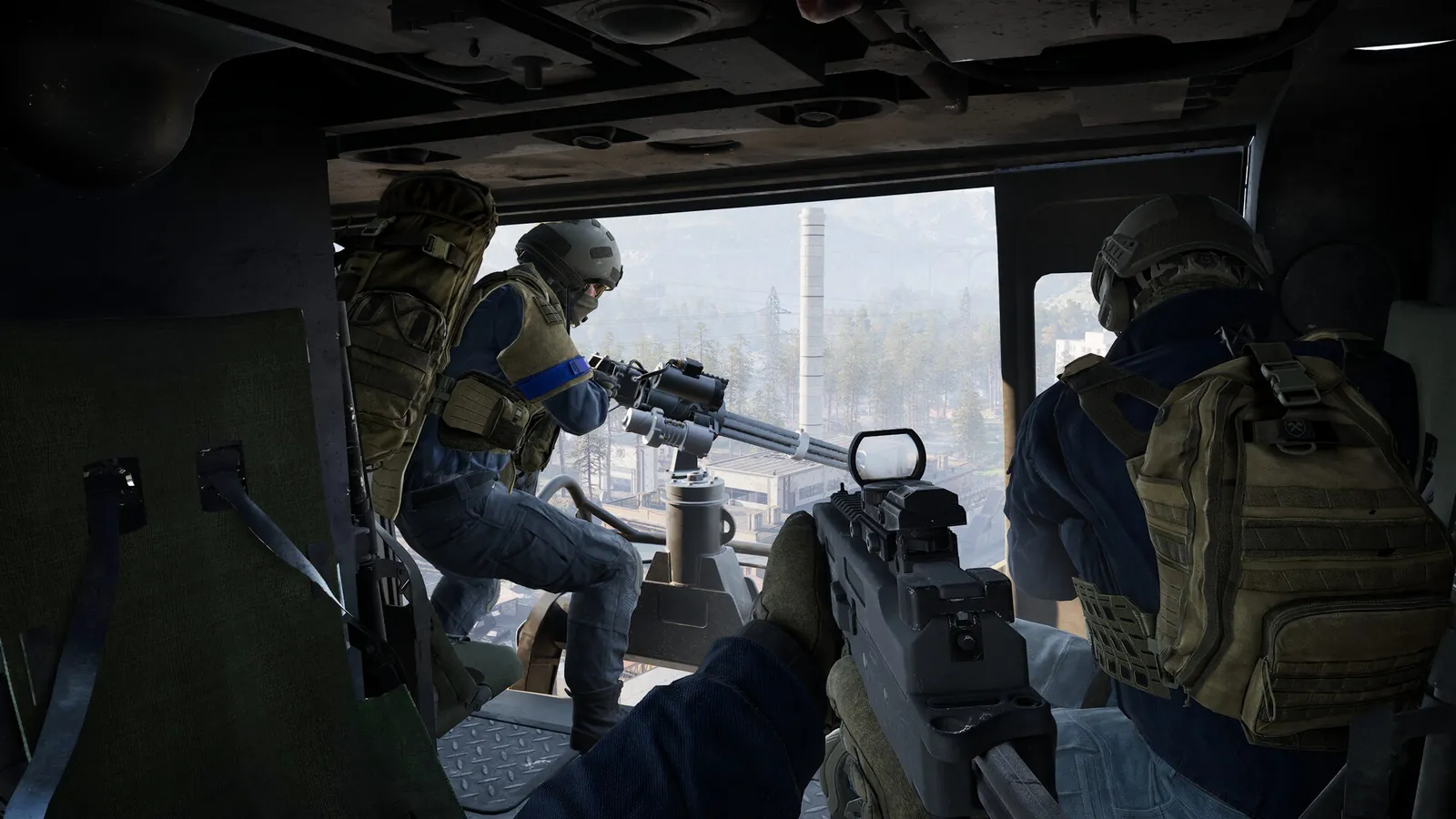
Input support matrix
| Input | Public-source status | Caveats |
|---|---|---|
| Keyboard + mouse | Expected primary on PC Windows (store focus) | We omit a full default-bind encyclopedia until a live Controls screenshot |
| Controller | Partial / limited remapping — Bisect publishes layouts; allthings notes heli remap limits | Do not read this as “full official controller support” |
| HOTAS | Dedicated Gamepad → HOTAS sub-tab; Enable HOTAS (allthings / Games Fuze) | Bindings may reset each session; not “full HOTAS support” marketing |
| Steam Deck / Linux | Out of Batch-1 deep dive | PC Windows store focus |
How to read this matrix
- Partial controller means: gamepad may move/shoot, but remapping depth, infantry vs vehicle layers, and aim feel may lag KBM.
- HOTAS path means: players map pitch/roll/yaw/collective for helicopters via a dedicated toggle; that is not the same as first-party “full HOTAS certified” marketing.
- Empty cells stay empty — do not upgrade language after reading a Trends query.
Decision tree: which input path first?
Starting WARDOGS on PC Steam EA
  ├─ Learning infantry + first match → Keyboard + mouse essentials (below)
  ├─ Want couch gamepad → Partial controller path + Steam Input test
  ├─ Bought HOTAS for helis → HOTAS axis checklist (Firing Range first)
  └─ Client crashes when opening Controls → ../wardogs-crashing/
Default keyboard and mouse essentials (third-party Bisect lead)
BisectHosting published a full PC list (Sep 5, 2026). Prefer infantry vs vehicle/air columns. Do not treat as eternal — screenshot live menus.
We omit the infantry default-bind table until we confirm live menu labels. High-frequency third-party leads already cited in the FAQ (Bisect Sep 5, 2026 — not a live screenshot): WASD move, fire / ADS, Reload, Interact F, Map M, Inventory Tab. Confirm those on your build before you memorize them. Ground and rotary rows below are labeled third-party because those Bisect columns did not depend on unconfirmed menu-label cells.
Ground vehicle (Bisect lead)
| Action | Default (Bisect) |
|---|---|
| Throttle / Brake | W / S |
| Steer | A / D |
| Handbrake | Space |
| Next / Previous seat | 0 / 9 |
Rotary / helicopter KBM (Bisect lead)
| Action | Default (Bisect) | Notes |
|---|---|---|
| Collective Raise / Lower | Left Shift / Ctrl | allthings MH-6 guide also discusses mouse cyclic |
| Cyclic | WASD (Increase/Decrease Cyclic X/Y) | Layout conflicts with infantry — context-specific |
| Yaw L/R | Q / E | — |
| Free Look | Alt | — |
| Countermeasure | V | — |
games.gg / allthings ammo note: refill magazines from cover — cited C on beginner guides — may conflict with Crouch bind; confirm live.
Partial controller support on PC (limited remapping)
Live research narrative: controller play is basic / partial, with limited key rebinding and Steam Input / community workarounds — not console-style full support. allthings MH-6: controllers weakest for heli — yaw on buttons; Steam Input maps right stick to mouse as common workaround.
| Topic | EA fact / third-party lead |
|---|---|
| Infantry vs vehicle on pad | Bisect: separate sections |
| Dead zones / sensitivity paths | PixelNitro: look sens ~6–7; ADS ~0.4–0.5×; deadzone ~3–7% — third-party |
Xbox controller highlights (Bisect)
| Context | Notable binds (Bisect) |
|---|---|
| Infantry | LT/RT secondary/primary; X Interact/Reload; A Jump; B Crouch/Prone; sticks move/look |
| Ground | LT Brake; RT Throttle; A Handbrake; Left stick steer |
| Air | LT Collective Lower; RT Collective Raise / Fire; Left stick Cyclic; Right stick Pedals / Free Look; D-Pad Up Countermeasure |
Controller Day-1 checklist
- Plug one pad only; quit RGB/virtual joystick tools.
- Launch WARDOGS; note whether prompts show glyphs.
- Open Controls — document which actions are remappable.
- If native remap is shallow, enable Steam Input and retest one template (PixelNitro: gyro-on-ADS optional).
- Test infantry ADS + vehicle enter + heli collective separately.
- If the game soft-locks on device switch, note build and file under Crash if needed.
Title/body rule: say partial controller support and limited remapping. Do not write “full controller support” or imply console parity.
HOTAS for helicopters: axis path (not “full support” marketing)
allthings HOTAS (Sep 10, 2026) + Games Fuze: WARDOGS treats sticks as analog devices. Path: Settings → Gamepad → HOTAS sub-tab → Enable HOTAS = Enabled, then bind roll, pitch, yaw, collective. Game swaps to stick in heli seat and back to KBM on foot (reported).
| Field | Public lead | Notes |
|---|---|---|
| Axis model | Deflection = continuous rotation rate until centered (not attitude hold) | Feel test |
| Deadzones (third-party working values) | Roll 0.02, Pitch 0.03 (allthings) | Hardware-dependent |
| Pitch/Roll sensitivity | Leave near 1.0; lowering caps max rotation rate | Don’t gut emergency authority |
| Collective | Match full throttle travel to full collective gauge | Tune by feel |
| Extra buttons | Bind from pilot seat in normal Controls (not main menu) | Interact, flares, PTT, vendor |
| Other bugs | Axis sticks after remap; slow freelook; Lakota assists may not apply on stick | allthings known-problems table |
HOTAS exclusivity / session warning
Community heli guides report that rebinding an air axis/key can remove the same key from on-foot (exclusive binds), and HOTAS maps may reset between sessions. Treat that as a session tax — test Interact / Build after any heli remap; budget 2–3 minutes to rebind at session start.
Never claim full HOTAS support from query interest alone.
HOTAS setup flowchart
Firing Range → spawn MH-6
  → Settings → Gamepad → HOTAS → Enable HOTAS
    → Bind Roll / Pitch / Yaw / Collective (move one axis at a time)
      → Sit in pilot seat → test proportional response
        → Bind flares / Interact / PTT from seat Controls menu
          → Next session: expect possible full rebind
How to rebind infantry versus vehicle/air
| Profile / context | Where to rebind | Notes |
|---|---|---|
| Air / rotary | Rotary Vehicle Keybinds + HOTAS sub-tab | HOTAS targets here |
| Conflict / exclusivity between contexts | Community lead | Beta/patch until EA repro |
Binds will not save: Day-1 troubleshooting
Use a known bug only after reproducing it on EA. Beta Steam Support mouse-button titles and “delete GameUserSettings.ini” tips are leads, not Day-1 facts. HOTAS non-persistence is the strongest dated community report (allthings).
Safe triage order (no reckless file deletes)
- Confirm latest Steam client update for WARDOGS (Hotfix era restarts matter).
- Re-apply one bind; fully exit to desktop; relaunch; check persistence.
- Disable overlays (see Settings / Crash).
- Test another user Windows account only if you suspect profile corruption.
- Config-file surgery (
%LOCALAPPDATA%\…paths from third-party guides) stays — backup first if you ever try it; this page will not instruct destructive deletes as verified.
Starter binds for building and ADS (after live test only)
We omit a “best starter remap” table until we confirm live binds. Process only: keep Interact reachable for towers and vendors (tower flow lives on Towers / Hot Zone); do not publish a full third-party key encyclopedia as eternal truth. If a remap crashes the client, stop and use the Elytra crash page.
Do not publish a full third-party key encyclopedia unless you independently verified every row on EA. Bisect remains a source URL, not a mirror.
Sensitivity / FOV cross-links
| Control | Lives under | Note |
|---|---|---|
| Mouse sensitivity | Controls | Tune on Firing Range; no invented eDPI |
| FOV | Settings or Controls (exact tab omitted until confirmed) | Clarity path lives on Best Settings |
| HOTAS curves | Device software + in-game deadzone / sensitivity | Shape center in stick software; keep game sens near 1.0 (allthings) |
Community conflict table (controls)
| Topic | Source A | Source B | Stance |
|---|---|---|---|
| Controller quality for heli | Bisect publishes full air pad layout | allthings: controllers weakest; Steam Input / vJoy workarounds | Partial support; heli prefer HOTAS or KBM+mouse cyclic |
| HOTAS “support” language | Games Fuze: “fully supports HOTAS” | allthings: real but rough; binds may not persist | Prefer precise: Enable HOTAS exists; expect remap friction |
| Collective on KBM | Bisect: Shift/Ctrl | allthings MH-6: W/S suggested in one table | Context conflict — screenshot Rotary section |
FAQ
Q: Does WARDOGS have partial controller support on PC Steam EA?
A: Research narrative is partial / limited remapping / Steam Input. Bisect publishes layouts; allthings notes heli remap limits. Official in-client support wording is omitted until we screenshot the store / Controls chrome. Forbid “full official controller support” until live menus prove deep remapping.
Q: Does it support HOTAS, and what does “support” mean?
A: Dated guides document Settings → Gamepad → HOTAS → Enable HOTAS and axis binding for helicopters. Expect possible session remaps. That is not polished “full HOTAS support” marketing.
Q: How are infantry and vehicle/air controls rebound?
A: Separate keybind groups (Bisect). HOTAS axes under Gamepad → HOTAS. Watch for exclusive binds that steal on-foot keys.
Q: Are there known EA Day-1 keybind bugs, including binds that do not save?
A: HOTAS non-persistence is a strong community lead (allthings). Other beta/Support leads exist; publish bug rows only after EA reproduction.
Q: What are the best starter binds for building and ADS?
A: Keep Interact reachable for towers (F lead). Building rotate/snap leads from Bisect. ADS default RMB until you screenshot.
Q: Which default KBM controls are essential for a first match?
A: WASD, fire/ADS, Reload, Interact F, Map M, Inventory Tab — then verify on your build. Not a scraped full Bisect mirror.
Q: Can Steam Input improve controller play?
A: Yes when native remap is shallow — PixelNitro/allthings leads. Properties → Controller path and any working template before recommending one.
Q: My binds crashed the game / WARDOGS won’t launch after remapping
A: Stop changing binds; follow Crashing (Elytra-aware). Then return here.
Q: Where do I learn tower Interact binds?
A: Interact defaults here + tower flow on Towers + first match on How to Play.
Q: Deadzone values for HOTAS?
A: allthings working leads Roll 0.02 / Pitch 0.03 — hardware-dependent. Tune until true zero at rest.
Also read
- Best WARDOGS Settings for FPS and Clarity — FOV / overlay conflicts
- WARDOGS Crashing or Won’t Launch — launch/crash when input setup fails hard
- How to Play WARDOGS (First Match) — once binds work
- WARDOGS Economy + Starter Loadout — kit use after controls are set
- Towers + Hot Zone — hold Interact on computers
Sources
- Steam store WARDOGS (PC Windows EA) — https://store.steampowered.com/app/1867240/WARDOGS/
- Steam Launch Stability Hotfix #1 — https://steamcommunity.com/app/1867240/discussions/0/562541634873654728/
- BisectHosting — Controls guide PC & controller (Sep 5, 2026) — https://www.bisecthosting.com/blog/wardogs-controls-guide-all-pc-controller-key-bindings
- allthings.how — HOTAS setup (Sep 10, 2026) — https://allthings.how/wardogs-hotas-setup-guide-bindings-deadzones-and-sensitivity/
- allthings.how — MH-6 helicopter controls — https://allthings.how/wardogs-helicopter-controls-how-to-fly-the-mh-6/
- Games Fuze — How to setup HOTAS — https://gamesfuze.com/guides/how-to-setup-hotas-in-wardogs/
- PixelNitro — Controller / Steam Input — https://pixelnitro.com/how-to-play-wardogs-with-a-controller-ultimate-setup-guide-aim-assist-settings-and-steam-input-fixes/